
Talk to a specialist: 01992 703900 sales@academia.co.uk Support Login
Close

We have created a practical tool to help institutions identify Apple education ecosystem partners and products that support key priorities across teaching, learning, device management and engagement.


Choose your area of focus
Reducing teacher workload
Note-taking
Teacher helping two students use tablet computers during a classroom art and science project, with artwork and model glaciers displayed on a table.
Improve teaching workflow
Improve student engagement
Improve early literacy & handwriting
Communication & engagement
Two young students using tablet computers to examine a classroom project, sitting at a table with a handmade model display in a bright learning environment.
Manage, secure & deploy Apple devices
Web filtering & online safety
Durable iPad cases
Students in school uniforms queue to receive tablet computers from a teacher in a bright school hallway, preparing for classroom learning activities.
Productivity
productivity Icon
Reducing teacher workload

Showbie

Teachers spend huge amounts of time downloading and uploading work, writing repetitive comments, chasing missing assignments and managing paper-based marking.

Showbie streamlines this with:
Digital annotation
Voice notes
Video feedback
Inline comments
Assignment locking & submission tracking
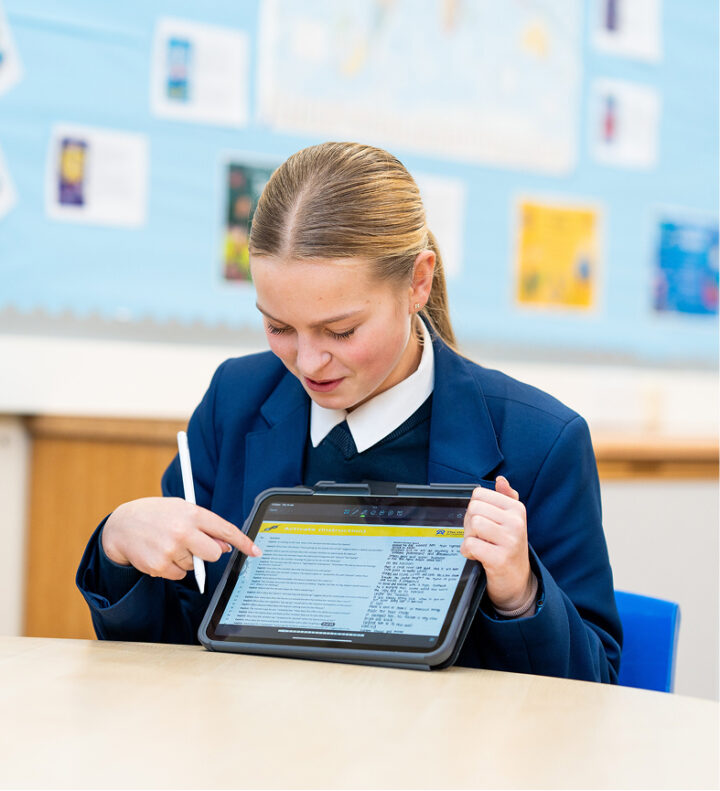
Student using a tablet and stylus for digital learning in a classroom.
showbie logo
Showbie is our learning platform and it has helped improve teaching and learning at Bohunt Education Trust. Showbie has encouraged students to take responsibility for their learning, which is fantastic and not something we envisioned.
Phil Avery
Director of Education
Bohunt Education Trust
bohunt

Adobe

Teachers spend significant time creating classroom materials.

Adobe helps streamline:

Lesson presentation design
Worksheet creation
Classroom posters & resources
Video explainers
Social & parent communications
two students researching on tablet
adobe logo
Note-taking

Goodnotes

Goodnotes helps with note-taking by combining the flexibility of handwriting with the organisation and searchability of digital tools. It is designed for stylus-first note taking and focuses on making digital writing feel close to paper, while still allowing edits and rearranging afterwards.

One of the biggest productivity advantages is handwriting recognition (OCR).

Goodnotes can search:

Handwritten notes
Typed text
PDFs
Imported documents
Two colleagues collaborating on tablets in a modern office.
goodnotes

Logitech Crayon

The Logitech Crayon combines the benefits of handwriting with the flexibility of digital learning, while being durable and simple enough for classroom environments.

Educators love the Logitech Crayon because:

It's built for durability
Offers instant setup
Improves note taking & annotation
Works seamlessly with iPad education apps
Supports creativity & visual learning
Group of students engaging with tablet-based learning tools, using digital pens and audio headsets to create, annotate, and share educational content.
Logitech logo
Back to top
Content & curriculum solutions
content icon
Improve teaching workflow

Showbie

Teachers often juggle multiple tools for:

Assignments
Feedback
Grading
Student submissions
Parent communication
Progress tracking
Teacher and students using a tablet for collaborative classroom learning.
showbie logo
Gone are the days when you would have to carry home 90 exercise books on a Friday. What students now do is create a beautiful piece of work handwritten in their exercise book, scan it and upload it to Showbie. Teachers can then mark that piece of work and provide feedback.
Georgette Ayling
Headteacher
Horsham School
Bohunt logo
Improve student engagement

Adobe

Teachers often struggle to keep learners engaged with traditional worksheets or static presentations.

Adobe tools enable more interactive, visual and creative learning through:

Video projects
Digital storytelling
Podcasts
Graphics & animations
Collaborative presentations
Teacher and students collaborating with a tablet in the classroom.
adobe logo

Showbie

Students learn differently, and traditional LMS platforms can be rigid.

Showbie allows students to:

Write with Apple Pencil/stylus
Record audio/video
Annotate worksheets
Submit creative multimedia work
Use portfolios to showcase progress
Student using a tablet and stylus for digital learning in the classroom.
showbie logo
The main thing that I enjoy about Showbie is the different ways that work can be presented to the children and how work can be presented to me the teacher. For example, if our children are not feeling confident about their writing, they can use the voice note app instead. The app is also great for me as a teacher as I can leave feedback on their work via voice or via a video of myself praising them on their fantastic work.
Tosin Adesina
Year 3 Teacher
Heronsgate Primary School
heronsgate
Improve early literacy & handwriting

Kaligo

Kaligo helps schools improve early literacy and handwriting by combining AI-powered feedback with personalised learning tools for teachers and pupils. It also saves teachers’ time through AI-supported assessment and lesson creation.


Student using a tablet and stylus for digital learning in the classroom.
kaligo logo
Kaligo has undoubtedly had a positive impact on handwriting instruction in Glasgow schools, and its positive impact will continue to resonate throughout classrooms for years to come.
Chris Mier
Digital Development Officer
Glasgow City Council
logo of glasgow city council
Communication & engagement

TrilbyTV

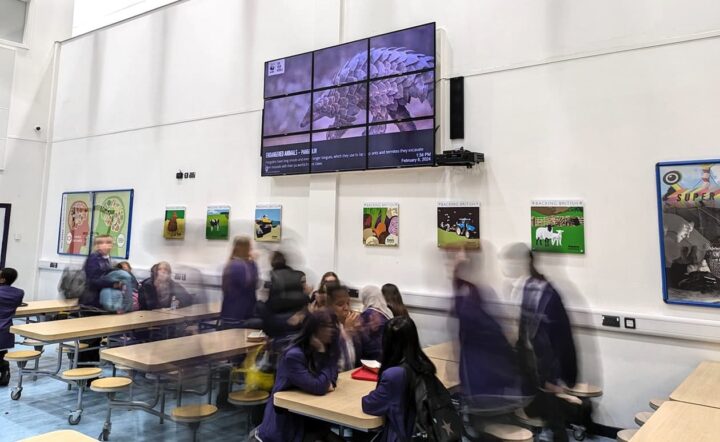
TrilbyTV helps schools solve communication and engagement challenges through education-focused digital signage.
At its core, it helps schools share the right information, with the right people, at the right time — across screens around the campus.
School cafeteria with students and a large digital signage display.
TrilbyTV logo
TrilbyTV is a fantastic tool for giving our students a voice, celebrating their successes and sharing some of the great work they produce with our school community.
Chris Murphy
Principal
Cedar Lodge School
Cedar Lodge school logo

Logitech

Logitech headsets, webcams, microphones and video systems help students and teachers:

Hear and be heard clearly in lessons
Join hybrid or remote learning sessions
Improve participation in online discussions and collaboration
Student using a tablet, stylus, and headset for digital learning.
Logitech logo
Back to top
IT & deployment solutions
desktop icon
Manage, secure & deploy
Apple devices

Jamf

Jamf helps schools with:

Device deployment at scale
Centralised Apple device management
Classroom management for teachers
Supporting student safety and safeguarding
Reducing IT workload
Improving the student learning experience
Managing shared and personal devices
work
Zero-touch deployment via Jamf is fantastic. We can set up and configure the iPads without touching a single one. It makes our job much easier when deploying over 1,100 iPads. 
Colin Napier
Senior IT Technician
The Wallace High School
the wallace high school
Web filtering & online safety

Lightspeed

Lightspeed blocks inappropriate or unsafe websites and allows schools to control what students can access online:


Filters harmful or distracting content
Restricts social media, games, and unsafe sites
Supports safe YouTube access for education
Works on school devices at school and at home
Two students collaborating with tablets in a modern learning space.
Lightspeed systems logo

Lightspeed can monitor activity for signs of risk or harm and alert safeguarding teams:

Flags worrying search terms or behaviour
Helps schools identify students who may need support
Sends alerts to designated safeguarding staff
Designed for early intervention and student safety
Students seated in a classroom using tablets during a lesson. Several students are engaged with their devices while participating in a collaborative and technology-enhanced learning environment.
Lightspeed systems logo
Durable iPad cases

iPad cases

Products are built specifically for classroom conditions:
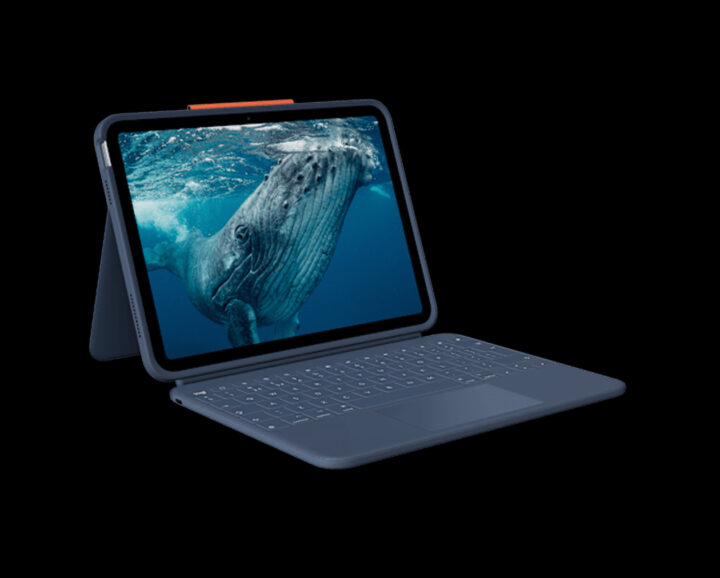
Drop-resistant designs
Spill/stress-tolerant hardware
Long-lasting components for heavy daily student use
tablet
Logitech logo
Back to top

Interested in any Apple Education Ecosystem partners?

Fill out this form and we’ll get back to you in no time!