If you’ve ever had to reset a forgotten password on a Monday morning, chase a user for an MFA code or deal with an account compromise caused by a convincing phishing email, you’ll understand why identity security remains one of the biggest challenges facing IT teams today.
For institutions and businesses, the challenge is often even greater. Small IT teams are supporting large numbers of users, budgets are under pressure and cybercriminals don’t discriminate based on organisation size or sector.
That’s why Microsoft’s recent announcement around Microsoft Entra ID is an important one.
From 1 September 2026, Microsoft will begin making passkeys the default authentication experience in Microsoft Entra ID, automatically encouraging users who currently rely on SMS or voice authentication to register and use passkeys instead. Then, from 1 February 2027, Microsoft will retire its native SMS and voice authentication services within Entra ID altogether.
Why is Microsoft making this change?
Quite simply, because the threat landscape has changed.
SMS and voice-based authentication were a huge step forward when multifactor authentication first became mainstream. They helped move organisations away from relying solely on passwords and undoubtedly prevented countless compromises.
However, attackers have adapted.
Today, phishing attacks are more sophisticated, more convincing and increasingly powered by AI. Techniques such as SMS interception, SIM swapping and MFA fatigue attacks are becoming more common and easier for threat actors to execute at scale.
Once an attacker gains access to an identity, modern attacks can move quickly through an environment, especially when AI is used to automate discovery and privilege escalation.
The reality is that passwords plus SMS codes are no longer providing the level of protection organisations need.
What exactly is a passkey?
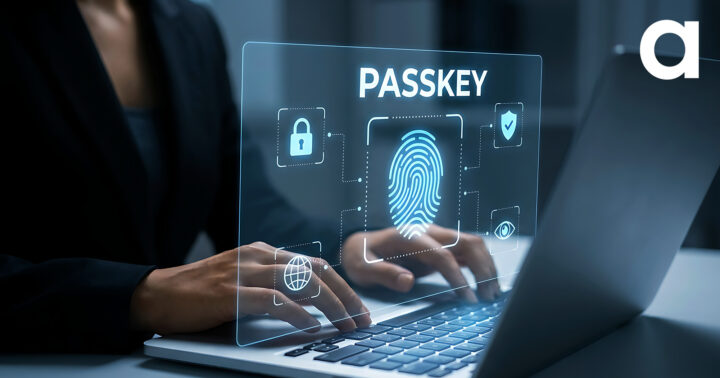
Without diving too deeply into the technical details, passkeys replace shared secrets (such as passwords and SMS codes) with public-key cryptography.
In practical terms, users can sign in using methods they’re already familiar with:
- Fingerprint recognition
- Face recognition
- Device PIN
- Security keys
- Microsoft Authenticator passkeys
The result is typically:
- Faster sign-in experiences
- Fewer password resets
- Stronger protection against phishing
- Better user experience
- Reduced administrative overhead
In security terms, it’s one of those rare occasions where the more secure option is also the easier one for users.
Why this matters
Many schools and organisations have spent years striking a balance between security and usability.
A sixth-form student logging into a shared device, a staff member accessing organisational data remotely or a teacher trying to get through registration before first period isn’t thinking about public-key cryptography. They just want access to the tools they need.
Passkeys help remove friction while simultaneously improving security.
For education providers in particular, the volume of accounts can be significant. We’ve seen customers managing tens of thousands of student identities across Microsoft 365. Reducing password-related support requests alone can have a meaningful impact on stretched IT teams.
Similarly, charities often rely on trustees, volunteers and part-time staff who may not be deeply technical. Simplifying secure sign-in can reduce support overhead while strengthening protection of sensitive data.
What should organisations do now?
The good news is there’s no need to panic.
Microsoft has provided a clear transition timeline and the majority of organisations can move to passkeys without any additional licensing cost.
We would recommend starting with four simple steps:
1. Review your current authentication methods
Identify users who still rely on SMS or voice-based MFA and understand how widespread these methods are within your organisation.
2. Begin planning your passkey rollout
Determine whether synced passkeys, Microsoft Authenticator passkeys, Windows passkeys or FIDO2 security keys are the best fit for your users and devices.
3. Prepare your user communications
As with any identity-related change, user awareness is key. Explaining the benefits and setting expectations early can significantly improve adoption.
4. Run a pilot
Start with a small group, gather feedback and refine your rollout approach before expanding more broadly.
The bigger picture
This announcement isn’t really about replacing SMS.
It’s about recognising that identity has become the primary security perimeter.
As organisations embrace AI, cloud services and increasingly flexible working models, protecting user identities is more important than ever.
Microsoft is effectively signalling that phishing-resistant authentication should now be considered the standard, not the exception.
For most schools, colleges and non-profits, the question is no longer if they should move to passkeys, but when.
And with Microsoft’s upcoming deadlines now confirmed, the answer is probably sooner than you think.
If you’re unsure how prepared your organisation is for the shift to passkeys, Academia is here to help you assess your current authentication methods, identify potential challenges and provide guidance on planning a secure and user-friendly transition to phishing-resistant authentication. Speak to our team today.